WebView Studio: Convert Websites into Native Android Apps and More
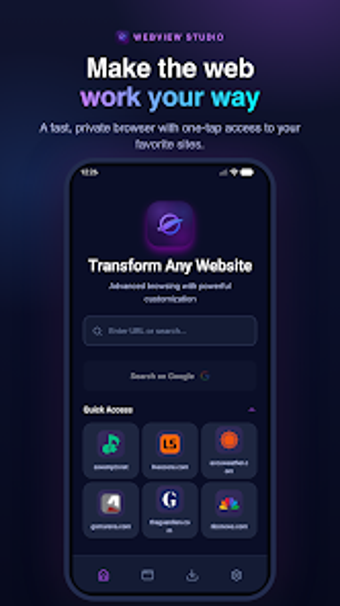
WebView Studio, by Betterlogic FZE, helps developers and content owners convert websites into dedicated Android applications. The tool supplies a no-code packaging interface plus developer-focused tooling so web content runs inside a mobile shell with configurable branding, scripting hooks, and options for offline access. It highlights privacy controls, an API-first build workflow, and white-labeling to help small teams ship web apps to Android devices. The primary audience is web developers, small business owners, and power users seeking quick mobile presence with privacy emphasis.

Unlock your creativity with Adobe Stock
Get 10 images or 1 video with a free trial
How the tool produces Android-ready app packages and native hooks
The app generates production-ready Android bundles and installables and integrates common mobile entry points, so web projects can be exported as AAB and APK files. Integrations include push delivery and ad placements; the build output supports native touches such as splash screens and app shortcuts. Developers can expect build-target compatibility with modern Android requirements and direct hooks for adding mobile-specific behavior without rewriting the web front end.
How private browsing and content control are handled inside the app
Privacy is treated as a core function: the environment includes built-in ad and tracker blocking and tools to prevent common tracking scripts from loading. The app can host local assets and provide custom offline fallback pages to reduce external network calls. Users and creators can inject JavaScript and CSS to alter page behavior, and those same injection points let operators remove or neutralize third-party trackers before content reaches device browsers.
How the developer workflow and compatibility suit production use
The tool follows an API-first approach with a reported fast build cadence, useful when iterating on releases. A native JavaScript bridge lets web code call device features, enabling deeper integrations where needed. The build environment targets current Android SDK expectations to ease store distribution, and the platform offers white-label output so final packages ship without visible third-party branding. These characteristics align the tool with developer-centric release workflows.
Practical choice for developer-led mobile distribution
WebView Studio is a pragmatic option for teams that publish web content to Android and need control over how that content appears and behaves on devices. Expect a learning curve when enabling advanced native integrations and when preparing production builds to meet app-store requirements. For creators who prioritize direct control over branding and privacy-focused in-app browsing, the app matches that delivery model well.